Interim Business ProcessChild Allocation for Patient Pay Determinations |
Current Functionality
The VaCMS uses the physical address for the case to determine the child allocation amount that will be used when computing the patient pay. If a dependent child does not live in the same locality grouping or state as the LTC individual, the VaCMS will not provide the correct calculation for the child in the different locality. The worker will need to adjust the Patient Pay amount using the Patient Pay field located in Eligibility Summary Override.
Interim Business Process for Child Allocation for Patient Pay Determinations
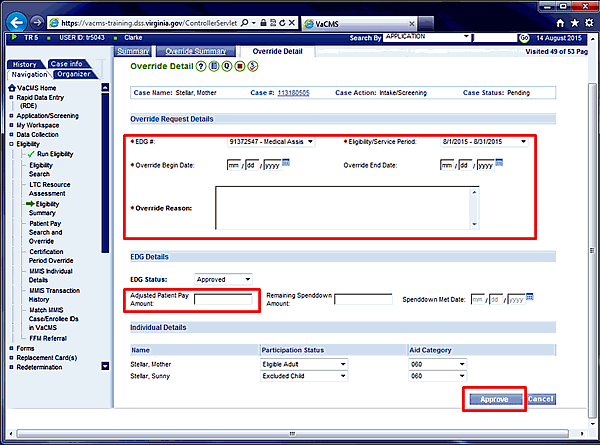
Workers will need to review the child allocation amount if the child's physical address is not in the same locality grouping as the LTC individual’s physical address. Use the Eligibility Override function to correct the Patient Pay accounting for the different Child Allocation amount. The worker will need to determine the updated / correct patient pay manually using the child allocation amount for the locality grouping in which the child resides and enter that amount in the Adjusted Patient Pay Amount field. Then re-run eligibility for the new adjusted amount to take effect.
Follow the steps below to override the Patient Pay amount:
Within the VaCMS:
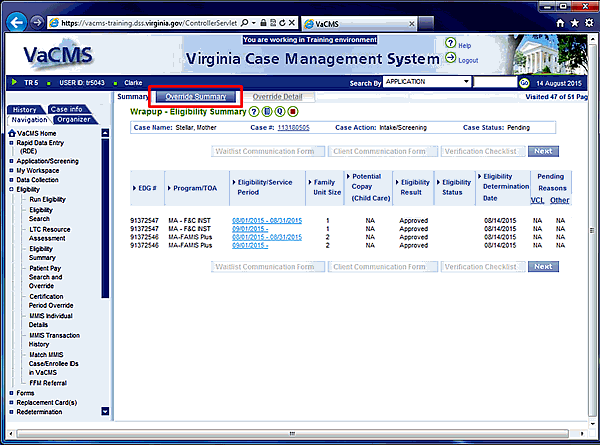
On the Eligibility Summary screen, select the Override Summary tab.
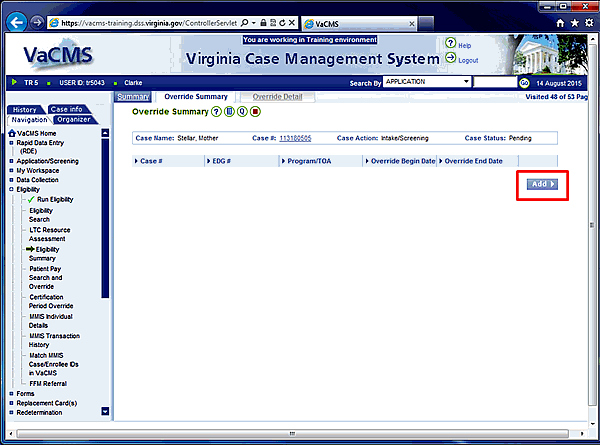
Click Add on the Override Summary screen.
Interim Business Process Expected End Date
TBD
Updated: 09/17/2016