Interim Business ProcessCounting Room / Board Unearned Income |
Current Functionality
Currently, the VaCMS does not have the functionality to determine the countable amount of room/board unearned income for TANF which results in incorrect results for TANF eligibility determinations.
Interim Business Process for Counting Room / Board Unearned Income
Perform a manual calculation based on policy and determine the countable unearned income. If the system results in a negative action, document the case and perform an override to issue the correct benefit amount. Follow the process below to count room/board income for TANF in VaCMS:
Process the customer’s TANF application and proceed through data collection entering all required data applicable to the application.
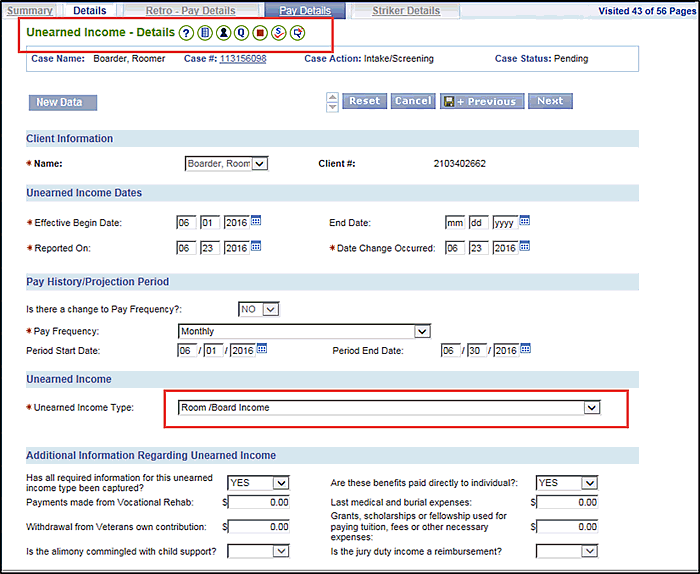
On the Unearned Income- Details page, enter the unearned income details and select Room / Board Income as the Unearned Income Type.
Click Next.
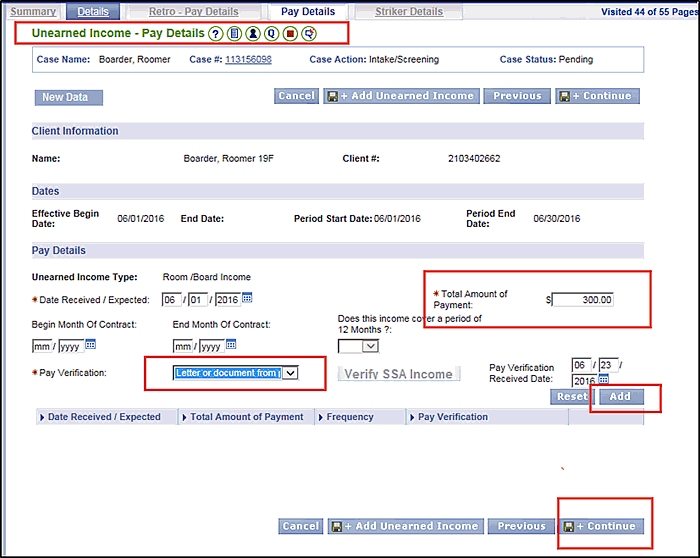
On the Unearned Income- Pay Details page, enter the Total Amount of Payment as the amount the customer receives for the room/board income.
Click Add.
Click Save and Continue.
Follow the driver flow in left navigation and run eligibility.
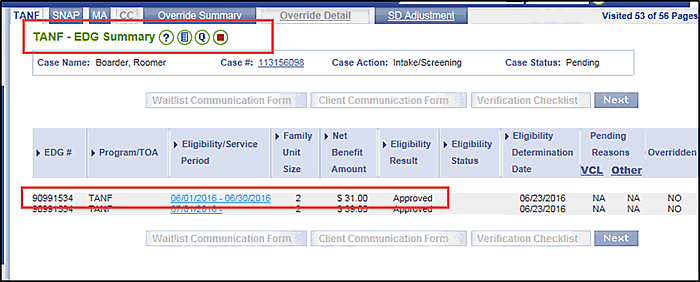
The TANF EDG Summary page displays an approved status with a reduced grant amount as a result of the way the room and board income is counted.
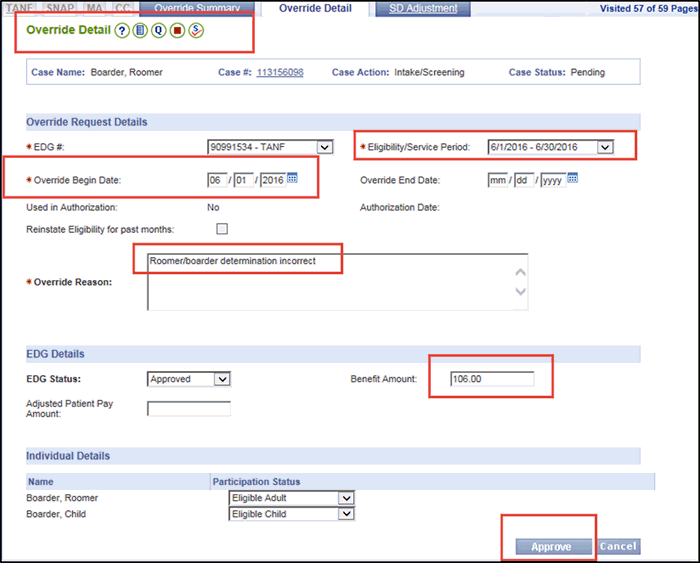
To ensure the correct TANF grant is issued, override the TANF grant to the correct amount.
Click the Override Summary tab and then click Add.
On the Override Detail page, enter the information necessary to override the TANF grant:
Complete the Override Request Details.
Complete the EDG Details.
Click Approve.
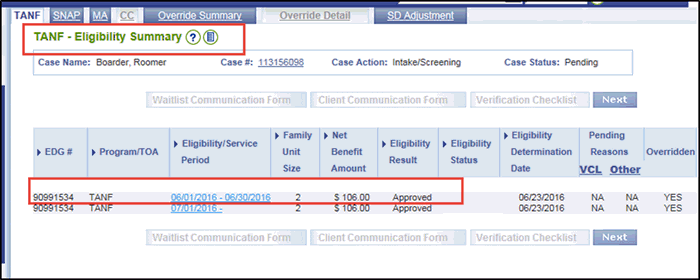
Run Eligibility. The Eligibility Summary displays TANF as approved with the correct grant amount.
If other programs are impacted, the worker will perform an override to correct the benefits.
Continue to the Certification / Authorization page.
Click Select All.
Click Certify / Authorize.
Interim Business Process Expected End Date
07/29/2016 Release
Updated: 09/06/2016